Assessment infrastructure for institutes

Run every exam your institute takes on one system.

Vyorra turns your question papers, PDFs and handwritten sets into a living question bank — then generates print-ready papers, launches online tests, and returns student-level analytics the same evening. On web, and on Android.

92%
Less time spent typesetting papers
1 min
From topic selection to finished paper
2 panels
One for your faculty, one for your students
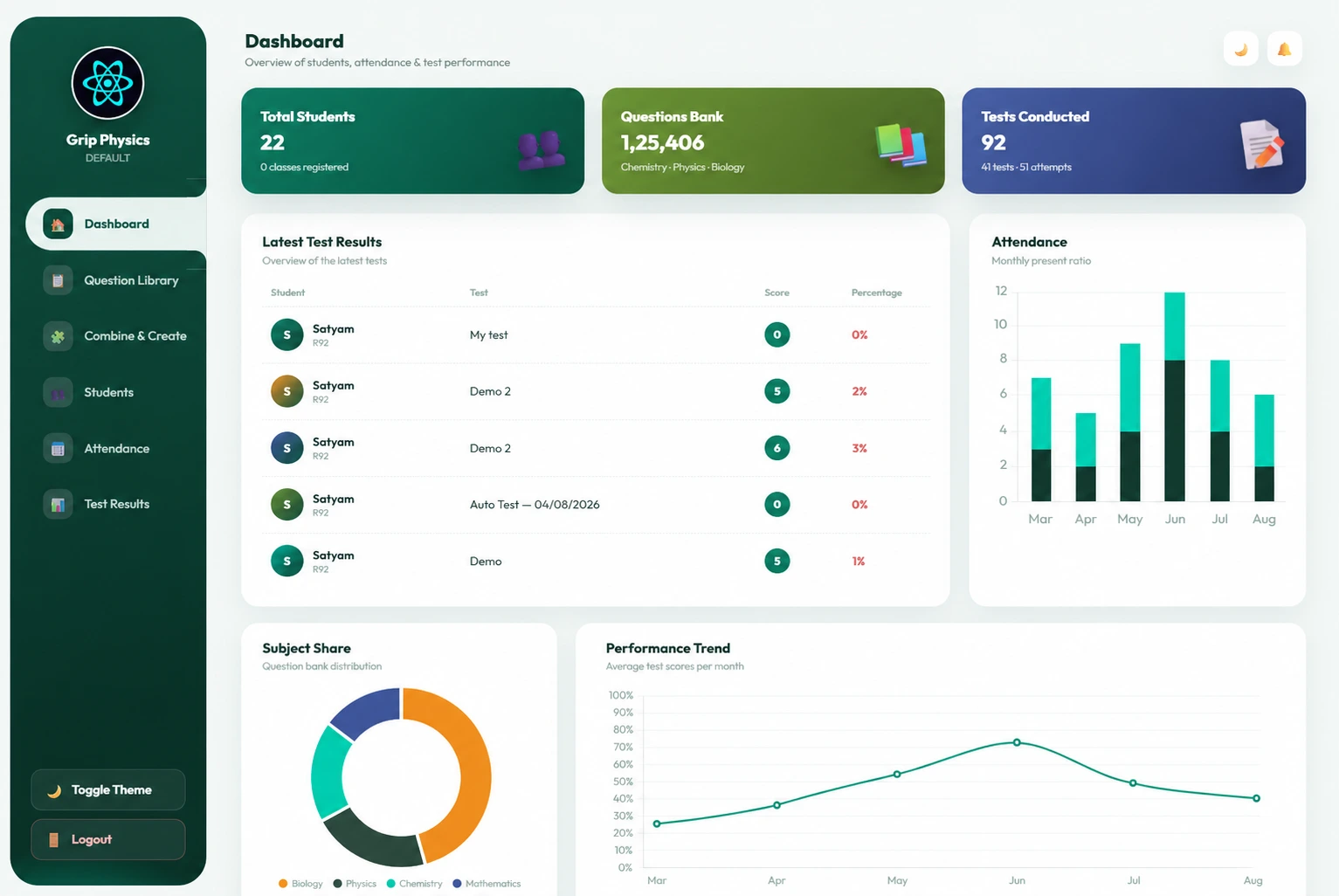
Vyorra institute dashboard showing total students, question bank size, tests conducted, latest test results and attendance charts

Built for the exams Indian institutes actually teach

  • JEE Mains
  • JEE Advanced
  • NEET
  • Foundation
  • Board Exams
  • Olympiads
The platform

Two panels. One source of truth.

Your faculty get a workspace. Your students get an app. A question added on Monday is testable on Tuesday and analysed by Friday — without anything being re-entered.

Panel 01

Institute Panel

The teacher's workspace: question library, combine & create, students, attendance and test results — in light or dark theme, with a passcode layer on staff actions.

  • Subject → chapter → topic → question library
  • Offline papers and online tests from one pool
  • Attendance, batches and performance dashboards

Want to see it working? Open the live Institute Panel demo and click through every screen your faculty will use — no signup needed.
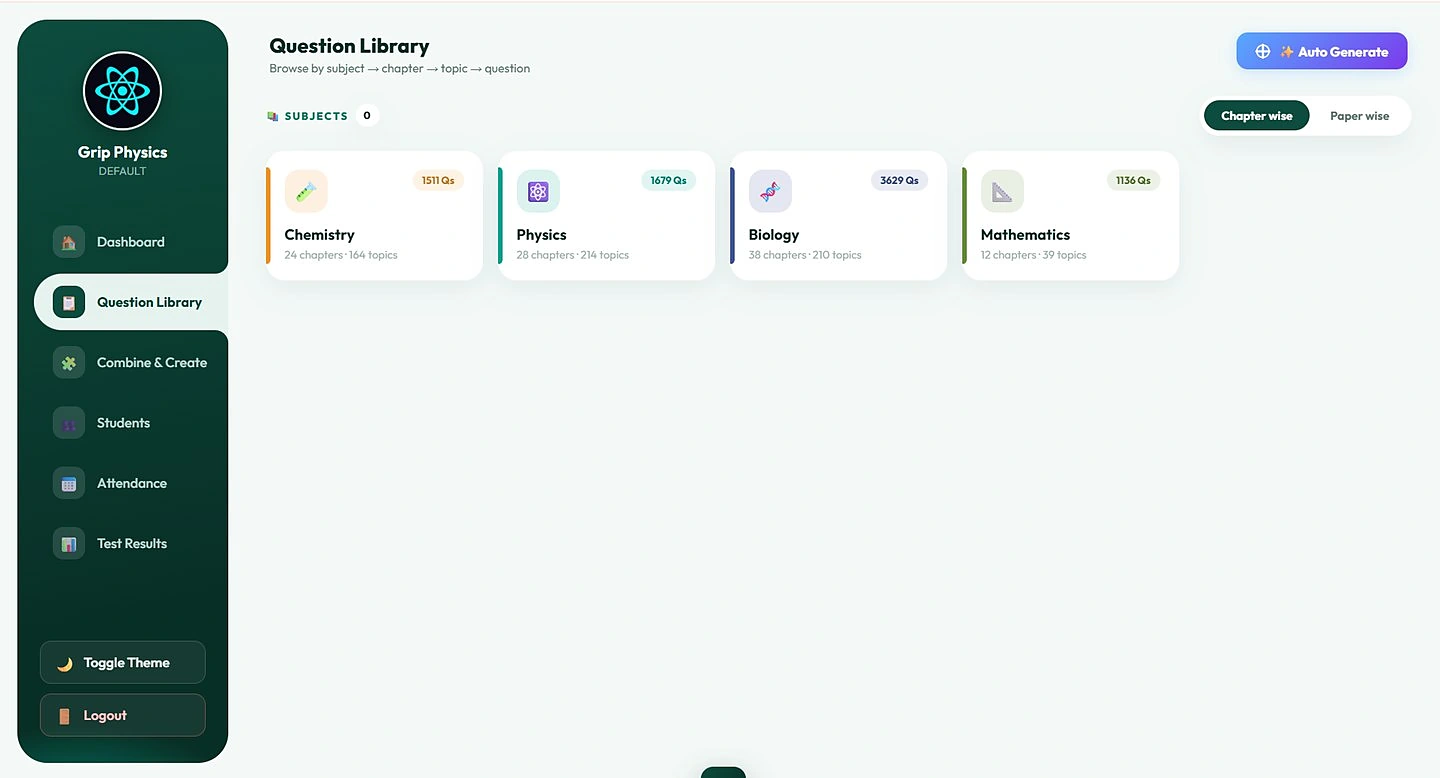
Question library browsing Chemistry, Physics, Biology and Mathematics with chapter and topic counts
Panel 02

Student Portal

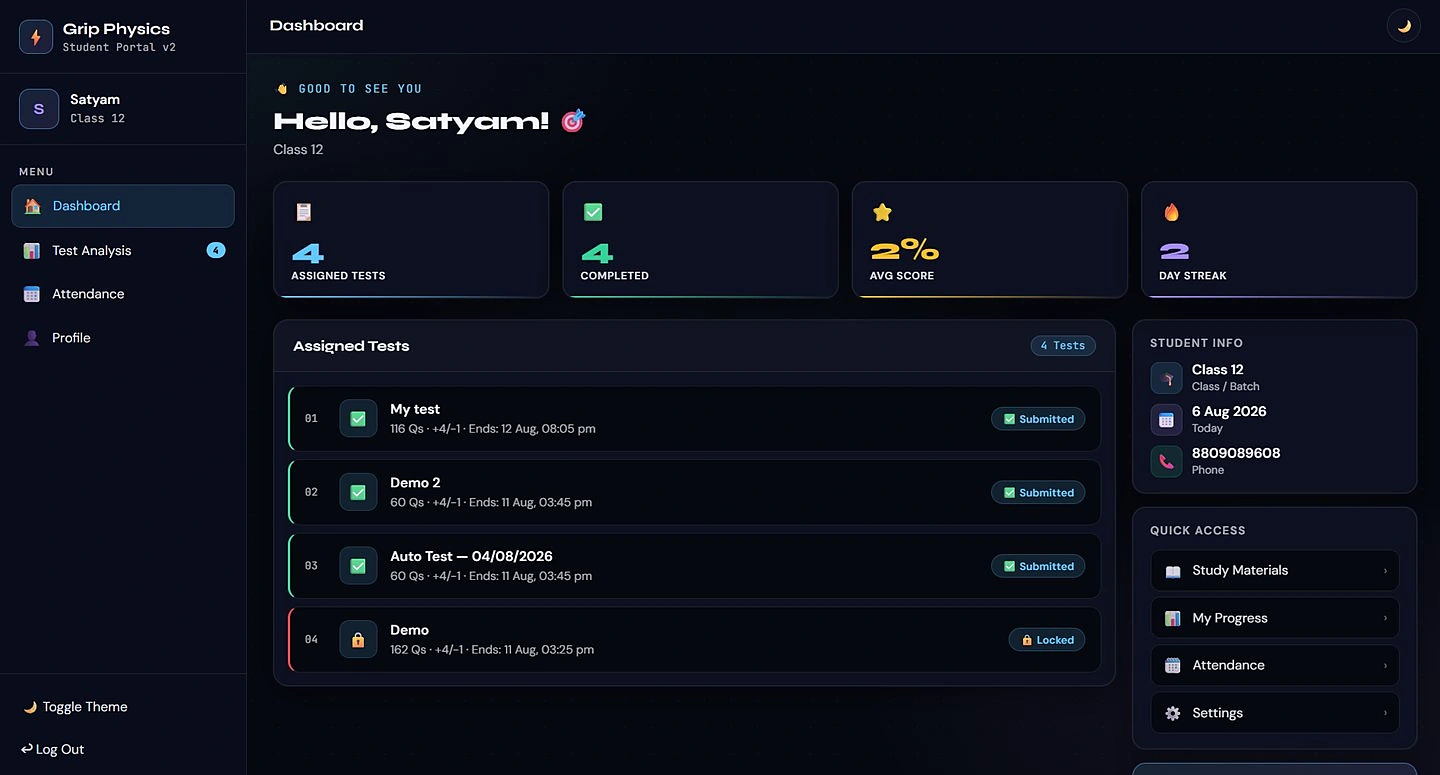
Students log in with roll number and OTP, see assigned tests with deadlines, attempt them in a locked test window, and track scores, streaks and attendance day by day.

  • Assigned tests with marking scheme and end time
  • Instant scorecards with solutions
  • Own attendance record, visible any time
Student dashboard showing assigned tests, completed tests, average score and day streak
Capabilities

Everything the exam cell does, rebuilt properly.

No spreadsheets, no scattered Word files, no last-minute photocopy panic.

AI question import

Upload a PDF, DOCX or a photo of an old sheet. Vyorra reads questions, options, answers and solutions — including maths and circuit diagrams — and files them under the right chapter.

Structured question bank

Thousands of questions organised subject → chapter → topic, with MCQ, multiple correct, numerical, matrix match and comprehension types. Search, edit and bulk-clean in place.

Paper studio

Pick topics and weightage; get a print-ready PDF and an editable DOCX with correct math typesetting, your institute header, marking scheme and answer key.

Online test engine

Schedule windows, assign batches, set +4/−1 style marking, and watch submissions arrive live with auto-evaluated scores and a question palette students already understand.

Exam integrity

Device binding, single-attempt locks, tab-switch tracking, and a review queue so a teacher decides before any student is flagged.

Analytics & attendance

Accuracy trends, subject splits, topper and lowest scores, present-streaks and monthly attendance ratios — ready for the parent-teacher meeting.

How it works

From a pile of old papers to a live test — in a week.

  1. 1

    Onboard

    We create your institute, brand the panels with your name and logo, and import your student roll list.

  2. 2

    Build the bank

    Faculty upload PDFs and images; AI extraction plus a review pool turns them into clean, tagged questions.

  3. 3

    Assess

    Generate offline papers for class tests and schedule online tests for the same syllabus from one pool.

  4. 4

    Improve

    Results land instantly. Teachers see weak topics per batch; students see exactly what to revise next.

Question library

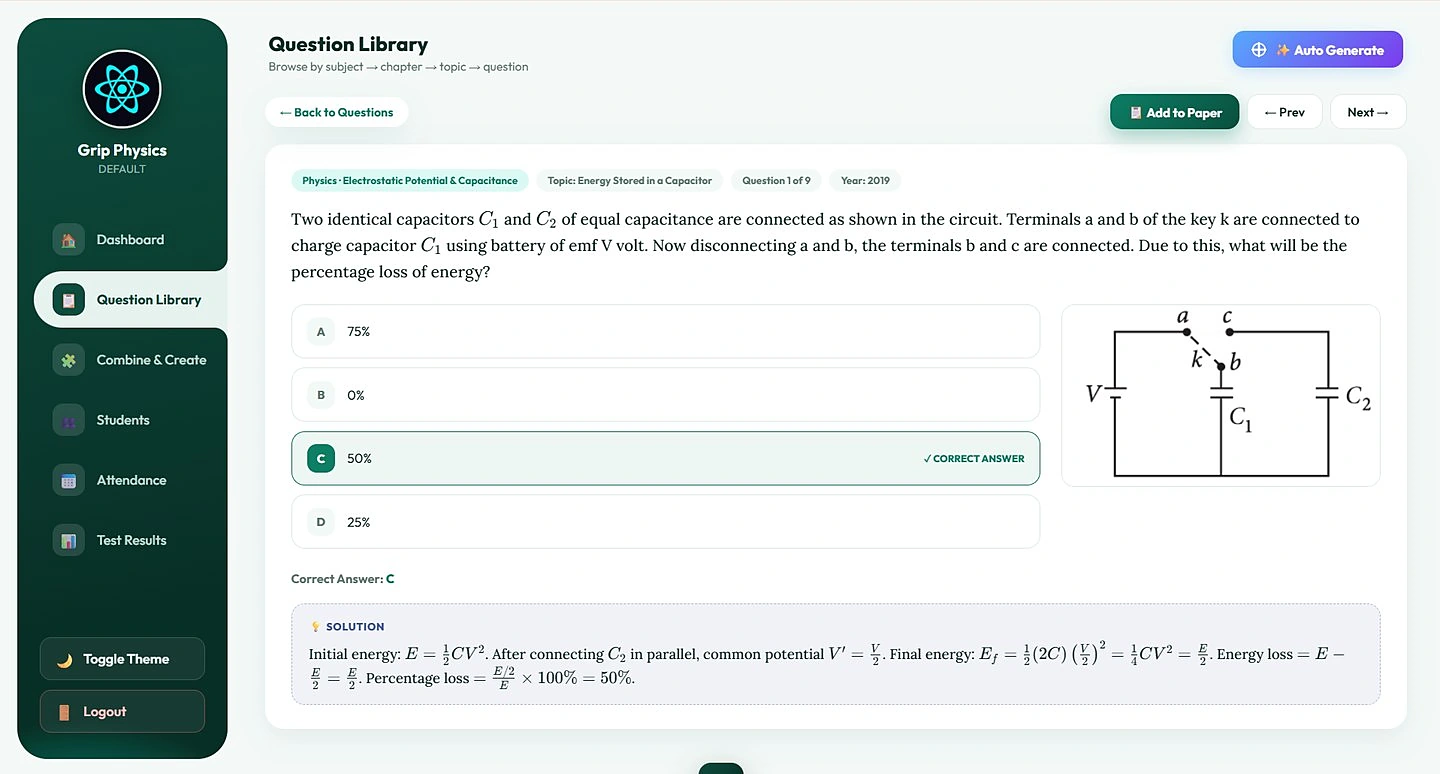
Every question, with its solution, one click away.

Open any question to see the full statement with rendered equations and figures, the correct option marked, the year it appeared, and a step-by-step solution — then send it straight to a paper.

  • Add to paper without leaving the question
  • Previous-year papers indexed by year and paper
  • Auto-generate a full paper from selected topics
A capacitor question with circuit diagram, four options, the correct answer highlighted and a worked solution
Test analysis

Every attempt, reviewable question by question.

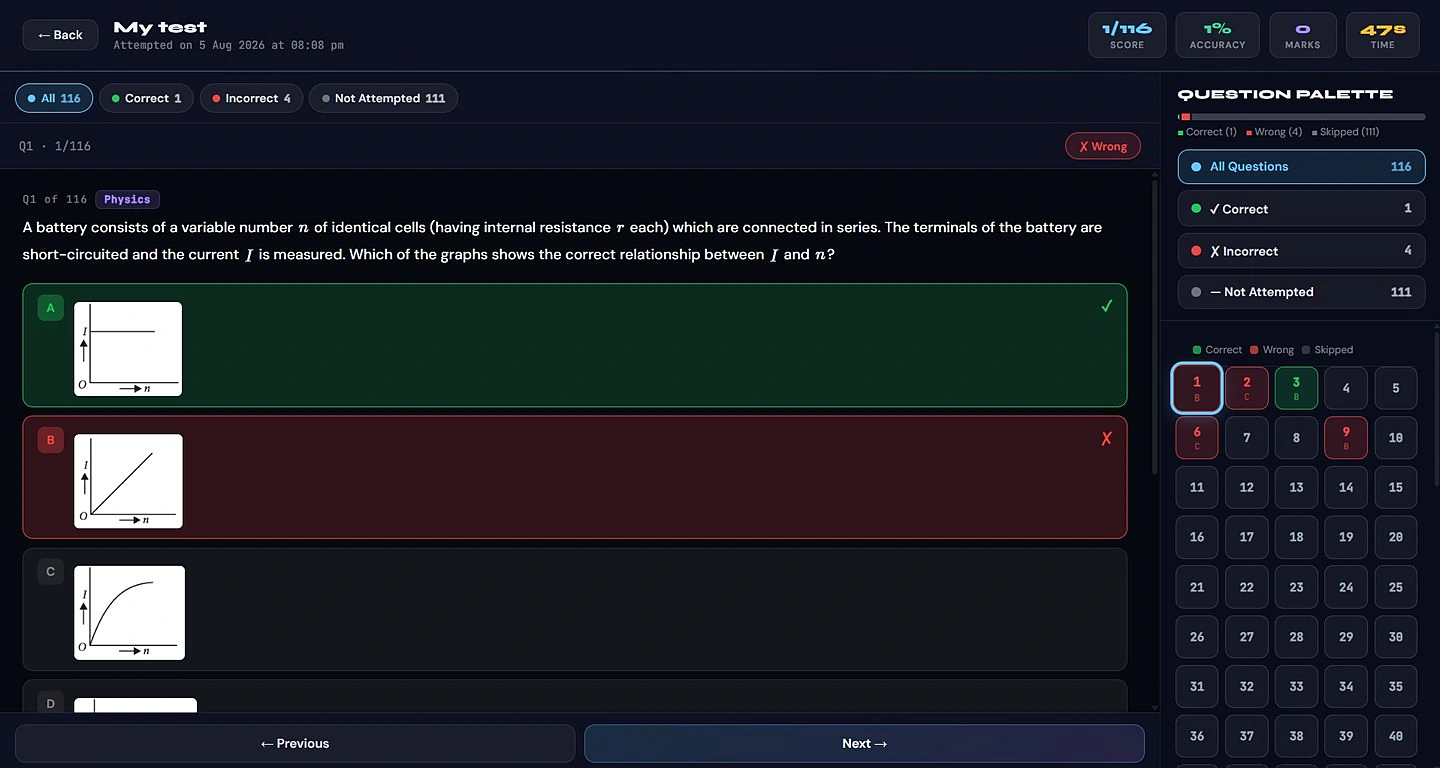
The moment a test closes, students get score, accuracy, marks and time — plus a palette that separates correct, wrong and skipped questions so revision starts with the right ones.

  • Correct, incorrect and not-attempted filters
  • Chosen option shown against the right answer
  • Full attempt history kept for the year
Test analysis screen with score, accuracy, marks, time and a question palette marking correct, wrong and skipped questions
Attendance

Attendance both sides can trust.

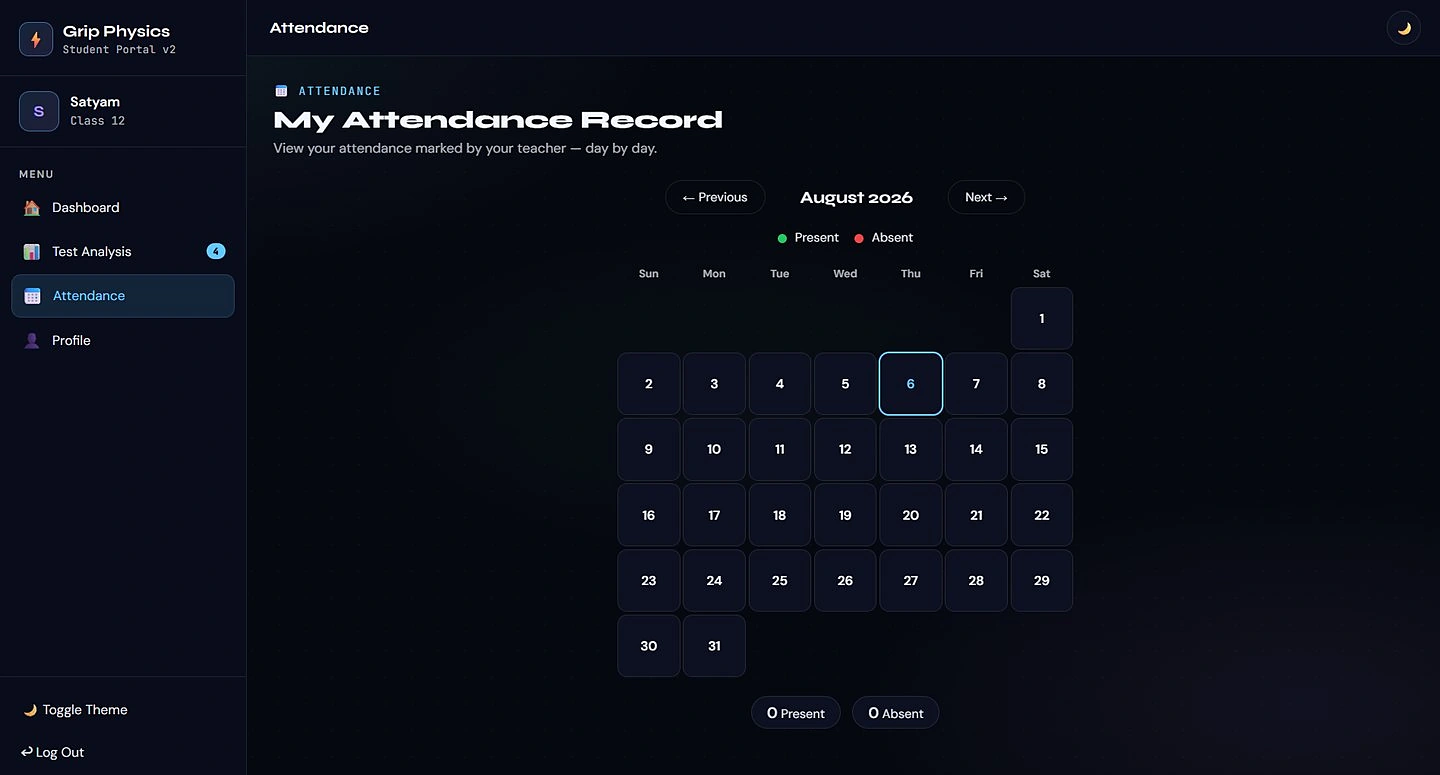
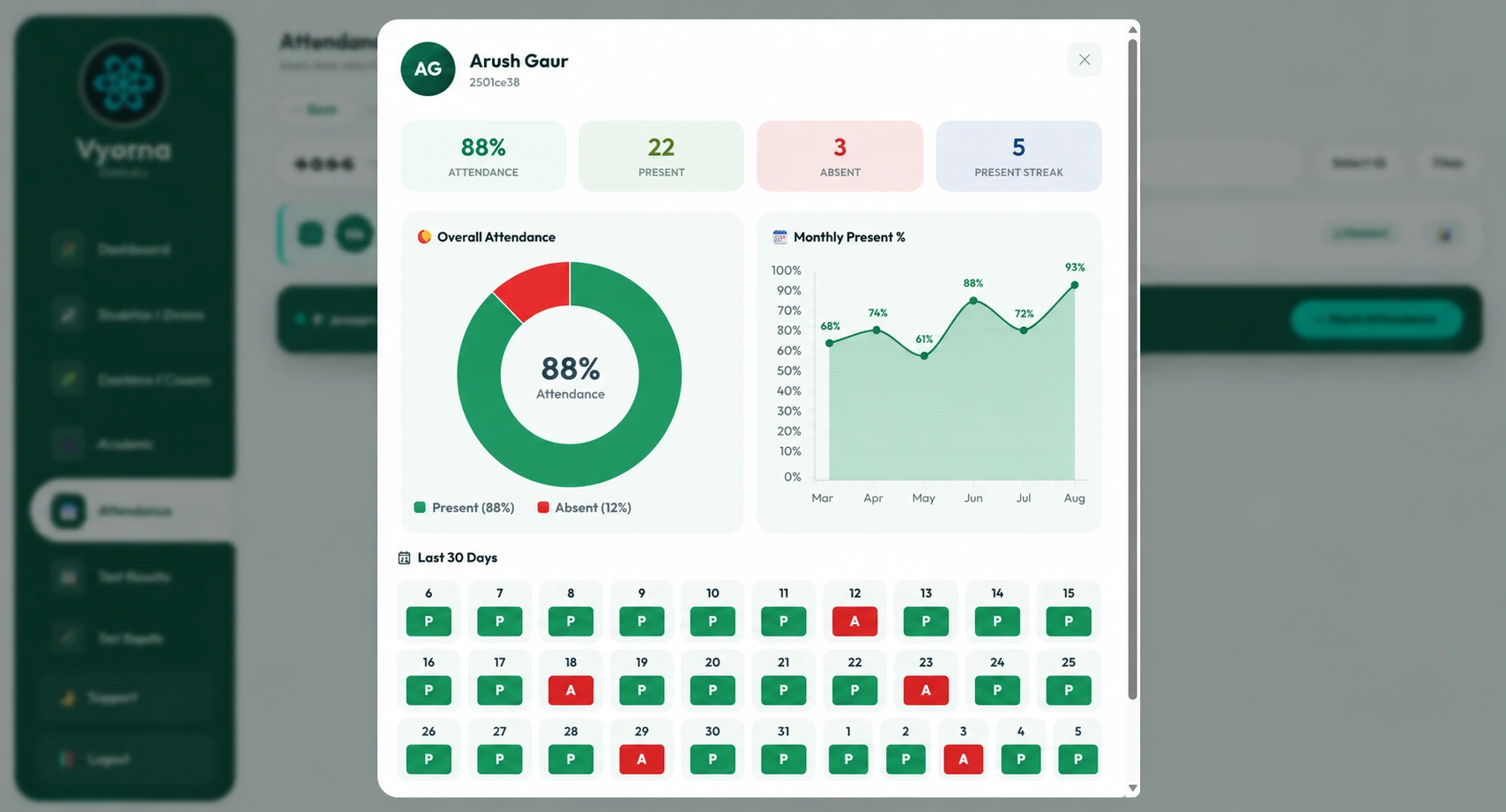
Faculty mark a batch in seconds and open any student for overall percentage, present streak, monthly trend and the last 30 days. Students see the same record in their own calendar — so no parent call is ever a surprise.

  • Per-student attendance profile with charts
  • Month-by-month present ratio
  • Student-side calendar view
Student attendance calendar for August 2026 in dark theme
Teacher view of a student attendance profile with overall attendance donut and monthly present percentage
On Google Play

The institute app, in your pocket.

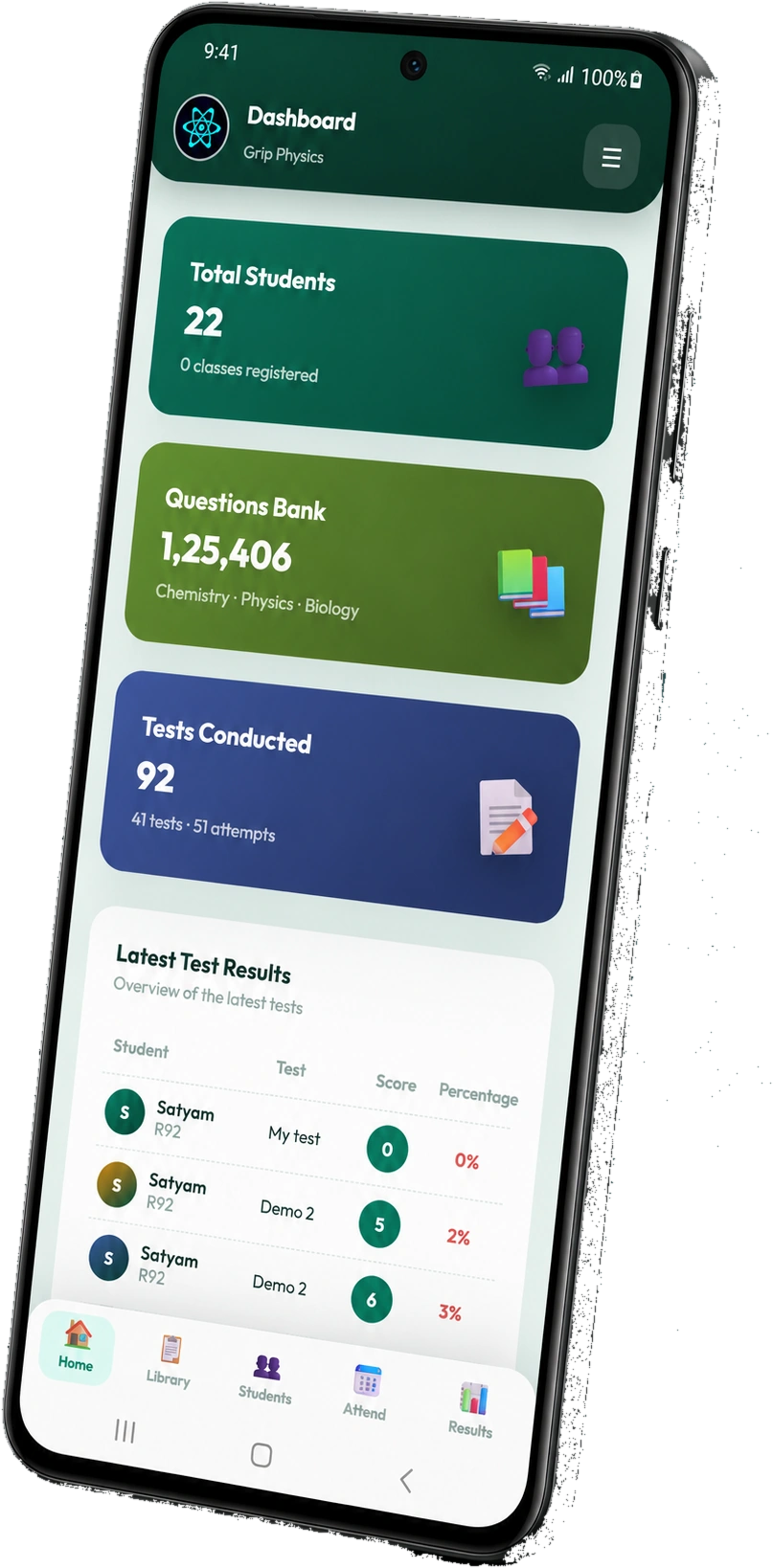
Vyorra ships a dedicated Android app for institutes. Directors and faculty can check the dashboard, open the question library, mark attendance and read results between classes — same data as the web panel, built for one thumb.

  • Bottom-tab navigation: Home, Library, Students, Attend, Results
  • Live test results and attendance on the go
  • Installs on any Android phone — students get their portal as an app too
  • A one-time ₹15,000 add-on — not per device, not per year
Vyorra institute Android app showing total students, question bank, tests conducted and latest test results with a bottom tab bar

“Our faculty used to lose two evenings a week to typing papers. Now a full test goes out before the last class ends.”

Academic Head · Science coaching institute, Lucknow
120,000+Questions managed
99.9%Test-window uptime
24×7Support during exam season
Pricing

₹15,000 a year for every 100 students.

One simple slab. Every plan includes both panels, onboarding, question migration and faculty training — no setup fees, no per-test charge. The Android institute app is a separate one-time ₹15,000.

100 students

₹15,000/year

Best for a single batch or a new centre.

  • Institute panel + student portal
  • Attendance, tests and result analytics
  • Unlimited papers and online tests
  • Email support
Start here
Most chosen

200 students

₹30,000/year

For an established centre running multiple batches.

  • Everything in the 100-student slab
  • AI import from PDF, DOCX & images
  • Attendance & batch dashboards
  • Priority support during exam season
Book a demo

300+ students

₹45,000/year

Then ₹15,000 for every additional 100 students.

  • Everything in the 200-student slab
  • Branded panels and app icon
  • Data migration from your old system
  • Dedicated account manager
Talk to us

Pricing scales in slabs of 100 students — 500 students is ₹75,000 a year, 1,000 students is ₹1,50,000 a year. Multi-branch groups get a combined quote.

FAQ

Questions institutes ask us first.

Still unsure? A 30-minute demo answers most of it with your own question paper.

Do we have to re-type our existing question papers?

No. Upload the PDFs, Word files or scans you already have. Our importer extracts questions, options and solutions into a review pool, where your faculty approve or fix them before they enter the bank.

Is there a mobile app?

Yes. The institute app is available for Android on Google Play, with the same dashboard, question library, attendance and results as the web panel. The student portal also installs as an app on any phone.

Is our question bank visible to other institutes?

Never. Every institute is isolated with its own data scope, its own passcodes and its own branding. Content you upload stays yours.

How is cheating handled?

Attempts are bound to a device and roll number, tab-switching is logged, and repeat attempts are blocked. Flags go to a teacher review queue — the system never punishes a student automatically.

What happens if our student count grows mid-year?

You move to the next slab and pay only the difference for the remaining months. Nothing stops working while you upgrade.

How long does onboarding take?

Most institutes are running their first online test within a week: two days for setup and branding, two to three for bank migration, and one training session for faculty.

Bring your hardest paper. We'll build it live.

Tell us about your institute and we'll set up a 30-minute walkthrough with your own syllabus, batches and marking scheme.

  • No setup fees
  • Free migration of your first 1,000 questions
  • Training for your entire faculty

We reply within one working day.